

Design contribution
This page provides instructions on how to contribute updates and new elements to our Design System. It explains how our Figma libraries are structured, how changes should be proposed, and which workflows should be followed depending on the type of component you are working with. Please read these guidelines carefully before making contributions.
Library Structure
Foundation →
Core tokens (colors, typography, spacing etc.). Foundation components.
Explore
Core components →
Base UI elements built strictly on Foundation
tokens and tokens
Explore
Product libraries →
More complex, context-specific components composed of multiple
Core components.
Explore
Pages
Layouts and page-level flows composed from Product components.
Where Contributions Are Allowed
Level
Who can edit?
How to Contribute

Product Components

Any contributor
Create a Figma branch and submit
for review
Pages
Any contributor
Create a Figma branch and submit
for review
Contribution Flow
- Locate the correct library. A list of all available Figma libraries is provided in the internal DS documentation portal. Identify whether your change affects Product components or Pages.

Ultimate Guitar

MuseScore

MuseScore Studio

Audio.com

MuseHub

Audacity


MuseClass

HalLeonard
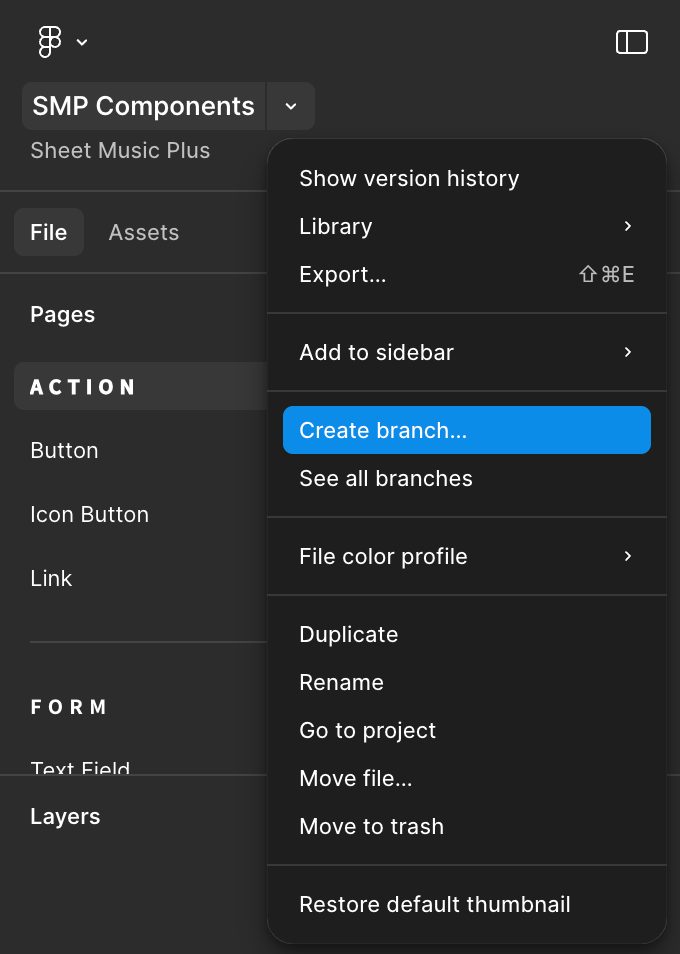
- Create a new Figma Branch
- Open the corresponding library file in Figma.
- Select page contextual menu > Create Branch.
- Name your branch clearly (example: feature/new-card-variation).
- Apply Your Changes
- Modify or create the component(s) as needed.
- Ensure that naming conventions and component structure match existing patterns.
- Do not detach components unless absolutely necessary.

We’re rolling out design tokens across Muse
With design tokens, common product styles align with system-level design decisions. Be sure to use foundation tokens in your designs and connect to the relevant design files in your design system library.
Learn more about design tokens
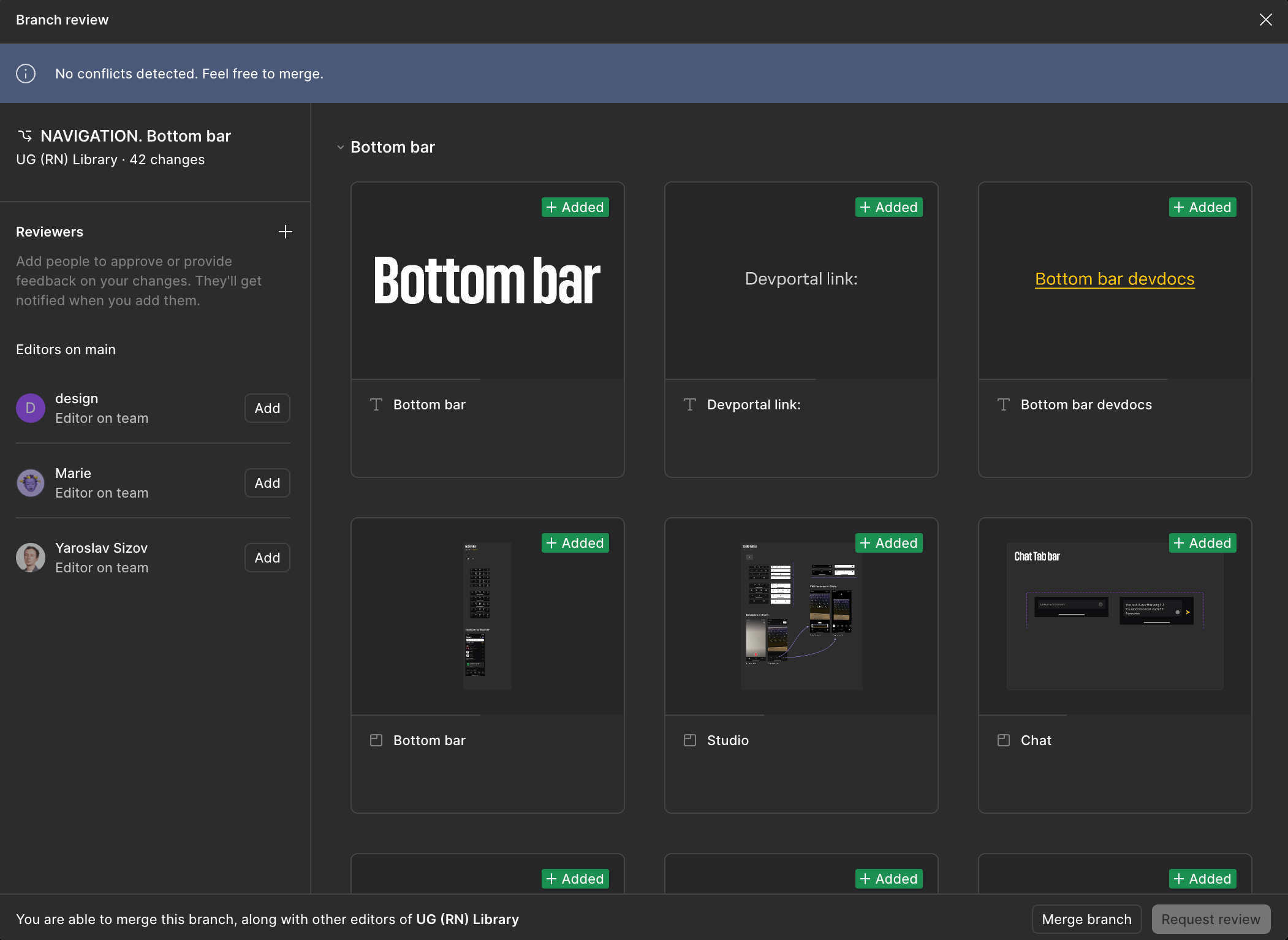
- Submit for Review
- Create a Merge Request for your branch.
- Add the Design System team: (@v.kapustyanov or @d.krikunov).
- Include a short description of what was changed and why.
- Review & Merge
- DS team will review structure, naming, token usage, accessibility considerations, and alignment with system guidelines.
- If approved, the branch will be merged.
- If revisions are required, feedback will be provided.
Requirements & Standards
- Token Usage. All Product components and Pages must strictly use Foundation tokens for: Colors, Typography, Spacing, Borders & radii, Elevation / shadows
- Use icons only from the official icon library. Never import custom SVGs unless approved via the Request Service.
- No Unnecessary Detachments! Avoid detaching components unless required for structural updates.
- Consistency First. New components should extend existing patterns where possible. Prefer variations to reinvention.
- Review & Merge
- DS team will review structure, naming, token usage, accessibility considerations, and alignment with system guidelines.
- If approved, the branch will be merged.
- If revisions are required, feedback will be provided.
Change Requests for Foundation & Core
Create request → Describe your needs
→ We will work out it → Final review
Contact us in case of question
We welcome you to share any feedback or ask any questions related to the product development process using the design system! Feel free to DM me at d.krikunov@mu.se.

In case of questions
These channels will help you find answers to any questions related to the design system or surrounding topics. Please feel free to share your ideas and problems here:
Channels:
#ug-design-system
#ug-design-system
#mu-design-system
#au-design-system